Jellyfish Lighting Warranty Explained: What's Covered and for How Long
A general overview of how Jellyfish lighting warranty coverage works and what to ask before and after your installation.
Jellyfish lighting warranty coverage protects the hardware and, depending on your installer, the labor involved in putting it on your home. Coverage terms come from the manufacturer for the product itself and can vary by installer for the workmanship side, so it is worth understanding both pieces separately.
Because specific warranty lengths and terms can change and depend on your exact system and installation date, this is meant as a general overview rather than a substitute for checking your specific paperwork or asking us directly.
Here is how to think about warranty coverage for Jellyfish lighting and what questions to ask before and after installation.
The two layers of warranty coverage
Permanent lighting systems generally have two separate layers of coverage. The manufacturer's warranty covers the actual hardware, like the track, LEDs, and controller, against defects. The installer's workmanship warranty, if offered, covers the quality of the installation itself, like mounting and wiring.
These two layers matter because a hardware defect and an installation problem are different issues with potentially different resolution paths. A flickering section might be a bad LED segment covered by the manufacturer, or a loose wiring connection covered by installer workmanship.
Understanding this distinction helps you ask the right questions if something goes wrong rather than assuming one warranty covers everything automatically.
What manufacturer coverage generally addresses
Manufacturer coverage on hardware generally addresses defects in materials or workmanship in the product itself, such as an LED segment that fails prematurely or a controller with an internal fault. Specific coverage lengths and terms depend on the product line and should be confirmed with your paperwork or directly with us.
Normal wear from weather exposure over many years is typically treated differently than a premature defect, since permanent lighting systems are designed for long-term outdoor use but are not expected to be entirely immune to the elements forever.
If you ever suspect a hardware issue, documenting when it started and which specific section or zone is affected helps speed up any warranty conversation.
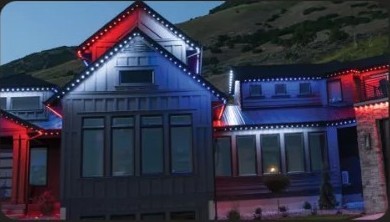
What installation or workmanship coverage generally addresses
Workmanship coverage from your installer typically addresses issues stemming from how the system was mounted and wired, separate from a hardware defect. This might include a mounting clip that loosens or a wiring connection that was not sealed correctly.
Because workmanship terms are set by the installer rather than the manufacturer, they can vary between companies. It is worth asking specifically what your installer covers on the labor side before signing a contract, not just what the product manufacturer covers.
As your authorized dealer, we can walk through what our installation coverage looks like for your specific project when you request a quote.
What generally is not covered
Damage from causes outside normal use, like storm damage from a falling tree branch, impact damage, or unauthorized modifications made by someone other than the installer, typically falls outside standard coverage. This is consistent with how most home equipment warranties work.
Cosmetic wear that does not affect function, like slight yellowing of a track over many years of UV exposure, is often treated differently than a functional defect. It is worth asking specifically how this is handled if it is a concern for you.
Modifications made to the wiring or controller setup by someone other than an authorized installer can also affect coverage, since the manufacturer generally expects the system to remain in its installed configuration.
- Storm, impact, or accidental damage from outside sources
- Unauthorized modifications to wiring or the controller
- Cosmetic wear that does not affect function
- Damage from improper cleaning methods or harsh chemicals
- Issues stemming from network or Wi-Fi problems unrelated to the hardware itself
Keeping documentation that makes a claim easier
Keeping your original installation paperwork, including the date of install and any product documentation provided, makes any future warranty conversation faster. This is the same practice worth applying to any major home system.
Taking a few photos of the finished installation right after it is completed gives you a reference point if you ever need to show how something looked originally versus a current issue.
If you move and a new homeowner inherits the system, having this documentation on hand also helps them understand what coverage might still apply.
Questions worth asking before and after installation
Before installation, it is reasonable to ask what specific coverage applies to both the hardware and the labor, and how long each lasts. Getting this in writing as part of your quote or contract avoids confusion later.
After installation, if you notice an issue, documenting it with photos or a short description and reaching out promptly gives the clearest path to resolution, rather than waiting and hoping it resolves on its own.
For general system issues that might not be warranty related at all, like app connectivity, check our troubleshooting guide first since many issues resolve without any warranty claim being necessary.
Frequently asked questions
How long does Jellyfish lighting warranty coverage last?
Specific coverage lengths depend on the product line and installation details, so we recommend confirming exact terms with your paperwork or by contacting us directly for your specific system.
Does the warranty cover labor if something needs to be reinstalled?
Workmanship coverage on labor is generally handled separately from manufacturer hardware coverage and can vary by installer. Ask about this specifically during your quote.
Does normal rinsing or cleaning void the warranty?
Normal, gentle cleaning like a garden hose rinse is standard maintenance and not something that would typically affect coverage. Harsh chemicals or pressure washing directly at the track are worth avoiding.
What should I do if I think I have a warranty issue?
Document the issue with photos and a description of when it started, then reach out to us directly so we can determine whether it is a hardware issue, an installation issue, or something else like a connectivity problem.
The bottom line
- Warranty coverage generally splits into manufacturer hardware coverage and installer workmanship coverage.
- Specific terms vary and should be confirmed directly rather than assumed.
- Storm damage and unauthorized modifications typically fall outside standard coverage.
- Keeping installation paperwork and photos makes any future claim easier.
- Contact your installer directly with documentation if you suspect a warranty issue.
Have questions about your coverage?
Reach out and we will walk through what applies to your specific system and installation.
Contact us